

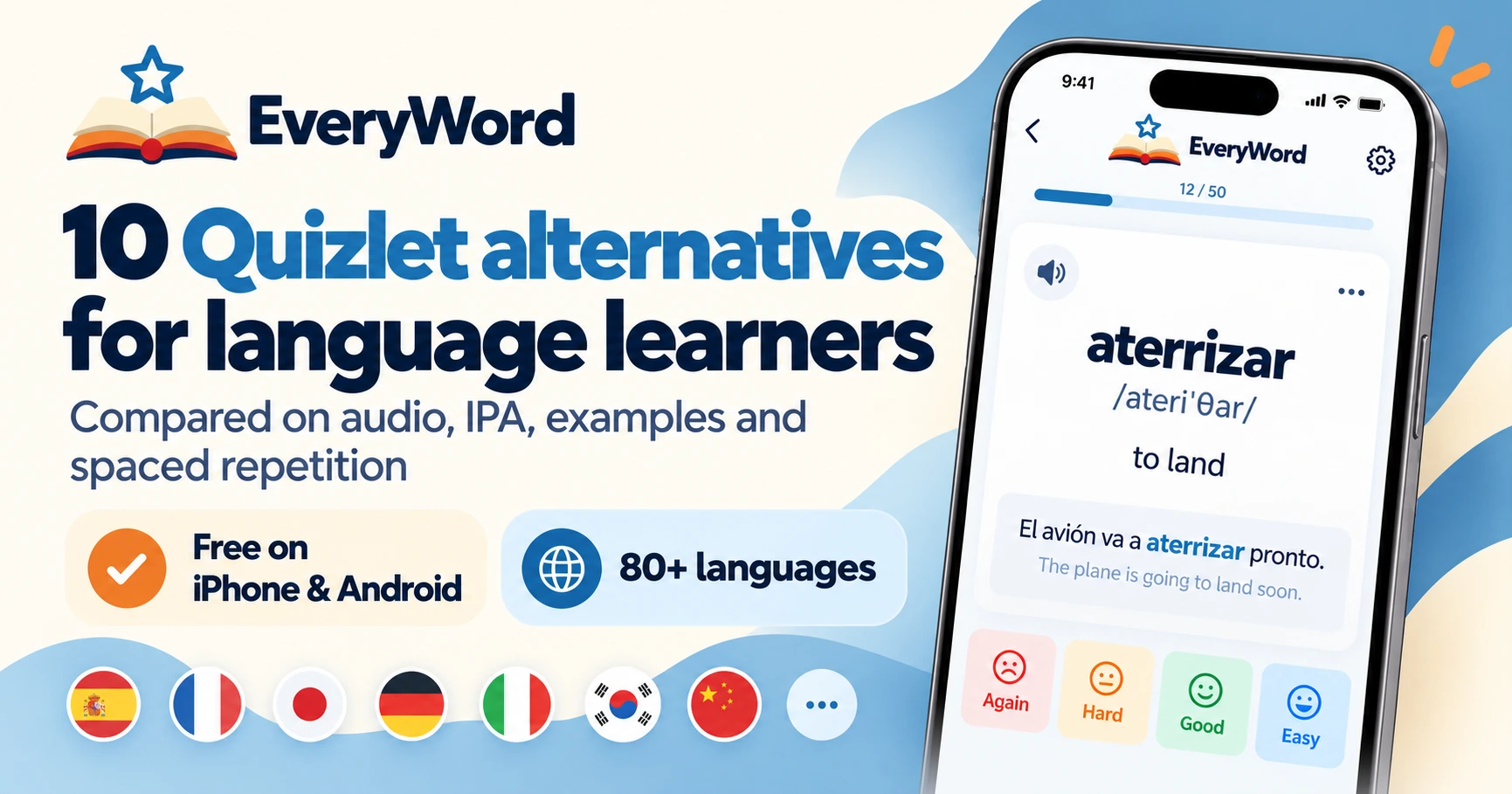
Short answer. The best free Quizlet alternative for language learners is EveryWord: type one word and the app builds the whole card — translation, IPA transcription, audio, an example sentence — then schedules it with spaced repetition from day one, free on iPhone and Android. If you need a like-for-like replacement for school study sets, Knowt imports Quizlet sets and keeps a free Learn-style mode. If you want maximum control and don't mind building every card yourself, Anki is free on desktop and Android. The other seven apps below each win in one specific situation.


The search for "Quizlet alternatives" grew for four concrete reasons, and most of them show up in the same Reddit threads Google now ranks on page one.
Yes. Creating sets, browsing public sets, Flashcards mode, Match and Quizlet Live are still free. What moved behind Quizlet Plus is the unlimited use of Learn and Test, offline study, and an ad-free experience. We break down the exact plan limits and prices on our Quizlet vs EveryWord page.
For a classroom, probably. Teachers get Quizlet Live, and the library of more than 500 million user-made sets means someone has already typed up your AP Psych chapter. For a self-directed language learner building their own word list, less so: you're paying to unlock study modes while still typing every translation and sentence yourself. The apps below either fix the price problem, the card problem, or both.
A flashcard app for words has to clear a different bar than one for exam facts. We looked at each tool against eight questions:
Prices and plan limits were checked in October 2026 and change often; treat them as a starting point and confirm in your app store.
| App | Best for | Free plan | Audio & IPA | Example sentences | Spaced repetition | Capture / import |
|---|---|---|---|---|---|---|
| Quizlet (reference) | Classroom sets, pre-made decks | Sets, Flashcards, Match free; Learn/Test capped; ads | TTS in 18 languages; no IPA | Typed by you | Scheduled Review, sets of 100+ terms only | Magic Notes from uploaded notes; text export (web) |
| EveryWord | Learning the words you actually meet | AI cards, Photo Scan, spaced repetition; ads; optional Premium | Audio on every card, US/UK/AU/IN accents; IPA | Generated by AI, editable | From the first card; Again/Hard/Good/Easy | Photo Scan (text and objects); Anki deck import |
| Anki | Power users, shared decks, any subject | Free on desktop, web, Android; iOS app $24.99 once | Only if you add audio; no IPA built in | Typed by you | Yes (SM-2 / FSRS), the gold standard | CSV / text import; huge shared-deck library; no photo capture |
| Knowt | A like-for-like Quizlet replacement | Learn, Practice Test, Match free; ads; Ultra removes limits | TTS; no IPA | Typed by you or AI from notes | Yes | Imports Quizlet sets by link; AI from notes/PDF/video |
| Memrise | Phrases with native-speaker video | Limited free access; Pro subscription | Native-speaker audio and video clips | Curated phrases, not your words | Yes, in official courses | Course-based; no import |
| Brainscape | Confidence-based repetition | Own cards free; Pro $7.99/mo billed yearly | TTS where available; no IPA | Typed by you | Yes (confidence rating 1–5) | CSV import; certified decks |
| RemNote | Notes and flashcards in one place | Free tier; Pro from about $8/mo | Limited; no IPA | Typed by you | Yes | Imports Quizlet and Anki; PDF notes |
| Lingvist | Frequency-ordered vocab in sentences | Trial, then subscription | Audio on all content | Every word taught in a sentence | Yes, adaptive | Curated decks; custom decks on paid plan |
| Clozemaster | Cloze (fill-the-gap) sentence drills | Free with a daily cap; Pro subscription | TTS audio | Everything is a sentence | Yes (Pro) | Pre-built sentence sets; no import |
| Drops | Visual beginners, five minutes a day | 5 min/day free; Premium subscription | Native audio; no IPA | No | Light review loop | Curated word packs; no import |
| Cram | Simple free flashcard site | Free, ad-supported | TTS | Typed by you | Basic "Cram mode", no real scheduler | Import from Quizlet via copy-paste; public sets |
Checked October 2026. "Ads" means the free tier is ad-supported. IPA = International Phonetic Alphabet transcription.
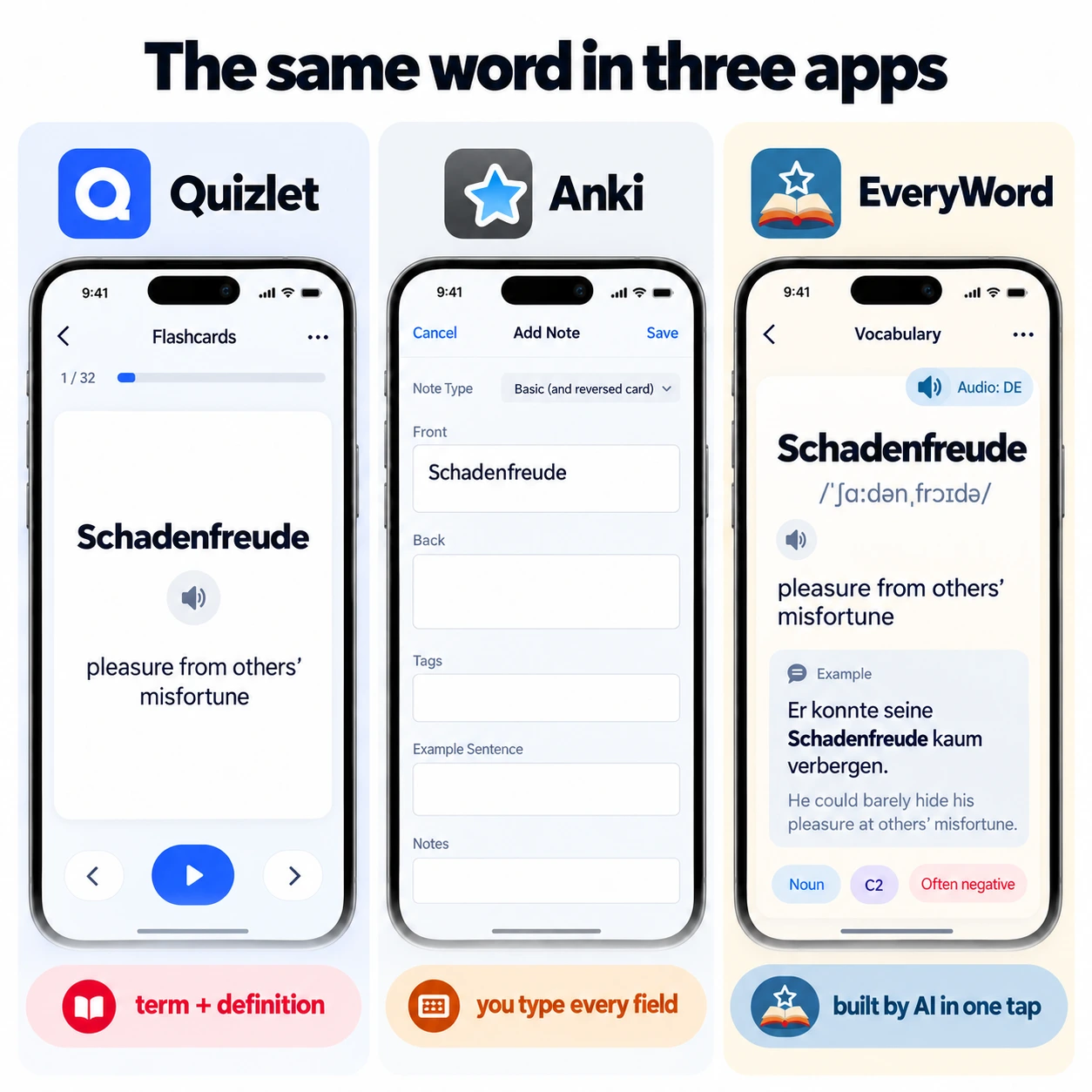
EveryWord starts from the opposite end to Quizlet. Instead of searching for someone else's set, you type (or photograph) a word you just ran into, and the app writes the card: translation, IPA, audio in your chosen accent, an example sentence, and extras such as irregular verb forms. You can edit anything. The card then goes straight into spaced repetition, graded Again / Hard / Good / Easy, whether you have 5 words or 5,000.
One word in, a finished card out: translation, IPA, audio and an example, built by AI.
Anki is the tool most serious learners end up hearing about, and for good reason: its spaced-repetition scheduler (SM-2, now optionally FSRS) is the one everyone else is measured against, and the community has published decks for almost every language and textbook. The trade-off is effort. Every field on every card is yours to fill, the interface is utilitarian, and adding audio means finding or recording files yourself.
For retention, Anki. Its scheduler is stricter and works on every deck, and there's no paywall on study modes. For convenience and ready-made material, Quizlet. If what you want is Anki's method without Anki's manual labour, that's the gap EveryWord fills — it can even import your Anki decks.
Knowt built its reputation as "the free Quizlet," and the pitch is accurate: paste a Quizlet set link and it imports, then you get Learn, Practice Test, Match and spaced repetition on your own sets without a paywall. It also turns notes, PDFs and lecture videos into flashcards with AI. If your main complaint about Quizlet is the price, Knowt is the shortest move.
Same workflow, fewer paywalls, same term-and-definition card.
Memrise teaches from short clips of real people saying real phrases, which is excellent for pronunciation and listening. It is a course, though, not a card maker: you learn Memrise's words in Memrise's order. The old user-generated community courses were moved off the main app, so it's no longer a place to build your own vocabulary list.
Brainscape replaces the usual "right/wrong" review with a 1-to-5 confidence rating per card, and schedules repeats from that. It's clean, fast and well suited to exam prep. For languages it offers certified decks (Spanish, French, Chinese and others) with audio, but your own cards are plain text unless you add media.
RemNote is a note-taking app where any line can become a flashcard. Students who hate maintaining notes in one tool and cards in another love it. For language learning it's a general-purpose tool: you can type a word and a translation and it will schedule it, but nothing is generated for you.
Lingvist drills the most frequent words of a language first, every one inside a sentence with a gap, and adapts to what you miss. It's an efficient way to build a core vocabulary from zero. Like Memrise, it's a curriculum rather than a card maker; custom decks exist but on the paid plan and in a limited set of languages.
Clozemaster is a game: thousands of sentences, one word blanked out, type or pick the answer. It's the best way on this list to practise words you half-know in natural context, and it covers an unusually long list of language pairs.
Drops teaches words through icons and swipe games in five-minute sessions. It is pleasant, well designed and good for the first few hundred nouns in a new language. It is not a flashcard maker and has no sentences.
Cram is the closest thing to old-school Quizlet: a website where you type cards, flip them and run a "Cram mode" quiz. It's free, ad-supported and unglamorous. If you want nothing more than a place to put a list and flip through it on a laptop, it works.
"Free" covers a lot of ground. Quizlet is free to join but caps the modes you'd use most; Anki is free everywhere except iPhone; Knowt is free but rations AI; Drops gives you five minutes. Here is the same six-row check applied to Quizlet and the five alternatives people most often mean when they say "free Quizlet alternative".
| Quizlet | EveryWord | Anki | Knowt | Clozemaster | Cram | |
|---|---|---|---|---|---|---|
| Create unlimited cards | Yes | Yes | Yes | Yes | Pre-built sentences only | Yes |
| Study-mode limits | Learn rounds and practice tests capped | None on review | None | None on own sets | Daily sentence cap | None |
| Ads | Yes | Yes (Premium removes) | No | Yes (Ultra removes) | Yes (Pro removes) | Yes |
| Spaced repetition | Sets of 100+ terms only | Every card | Every card | Yes | Pro only | No |
| Audio | TTS, 18 languages | Every card, 80+ languages, 4 accents | Only if you add it | TTS | TTS | TTS |
| The catch | Daily limits on the modes you need | Phone only, no public set library | $24.99 on iPhone, manual cards | School-style cards, rationed AI | Not for new words | No scheduler |
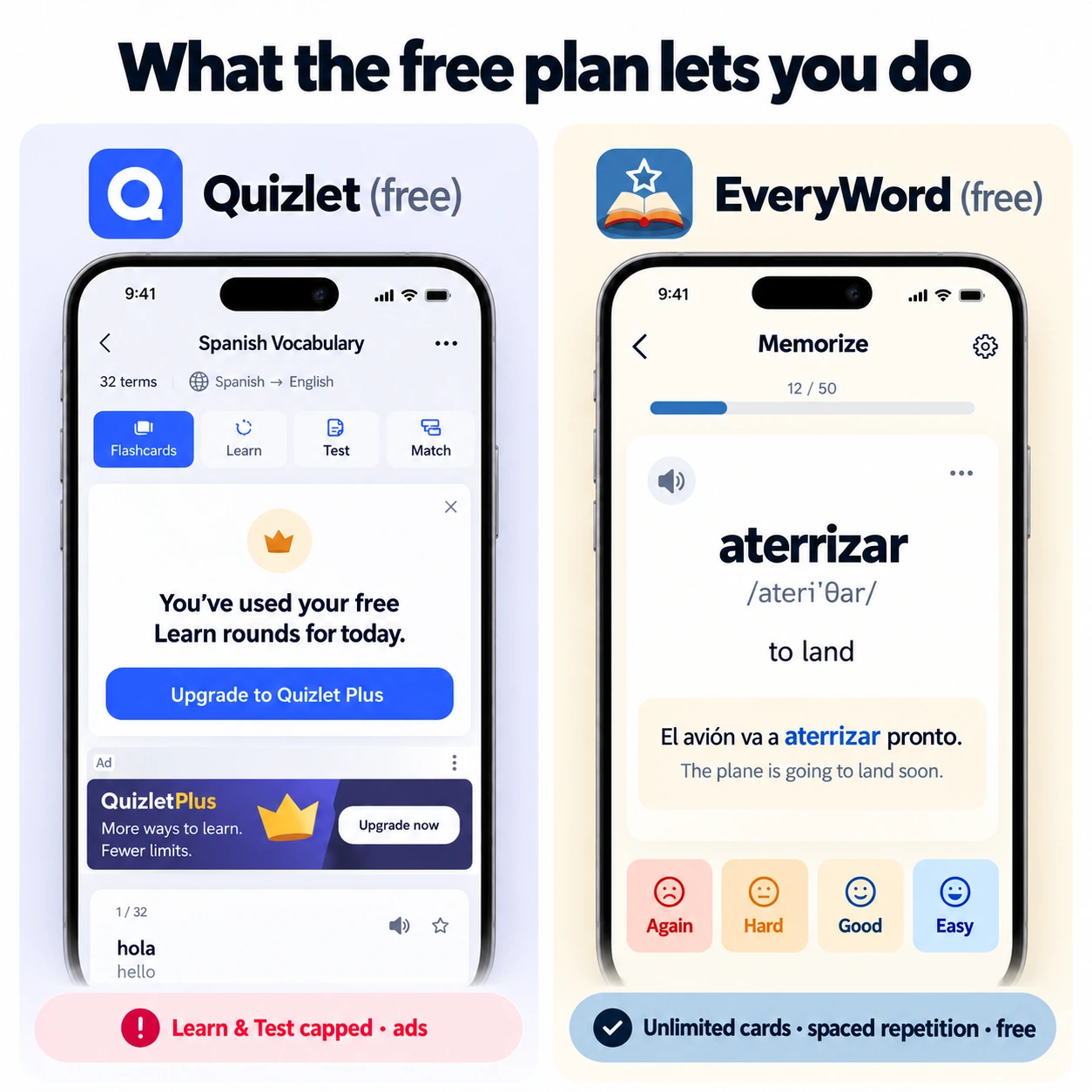
EveryWord's Memorize mode: recall the word, then grade yourself Again, Hard, Good or Easy.
Learn is the Quizlet mode people miss most: it cycles a set through multiple-choice and typed answers until you've got every term right, then stops. It's also the mode that's now capped on the free plan. Three apps on this list do something close to it without the paywall.
If what you liked about Learn was the typing, Anki and Knowt are closer. If what you liked was the feeling of finishing, be aware that for vocabulary, finishing is the problem — recognition in a quiz isn't recall in a conversation.
None of this means Quizlet is a bad product. There are four situations where it stays the right pick:
Quizlet lets you export a set as plain text from the website (not the apps): open the set, choose Export, pick the separators, copy the text. Where that text can go depends on the app:
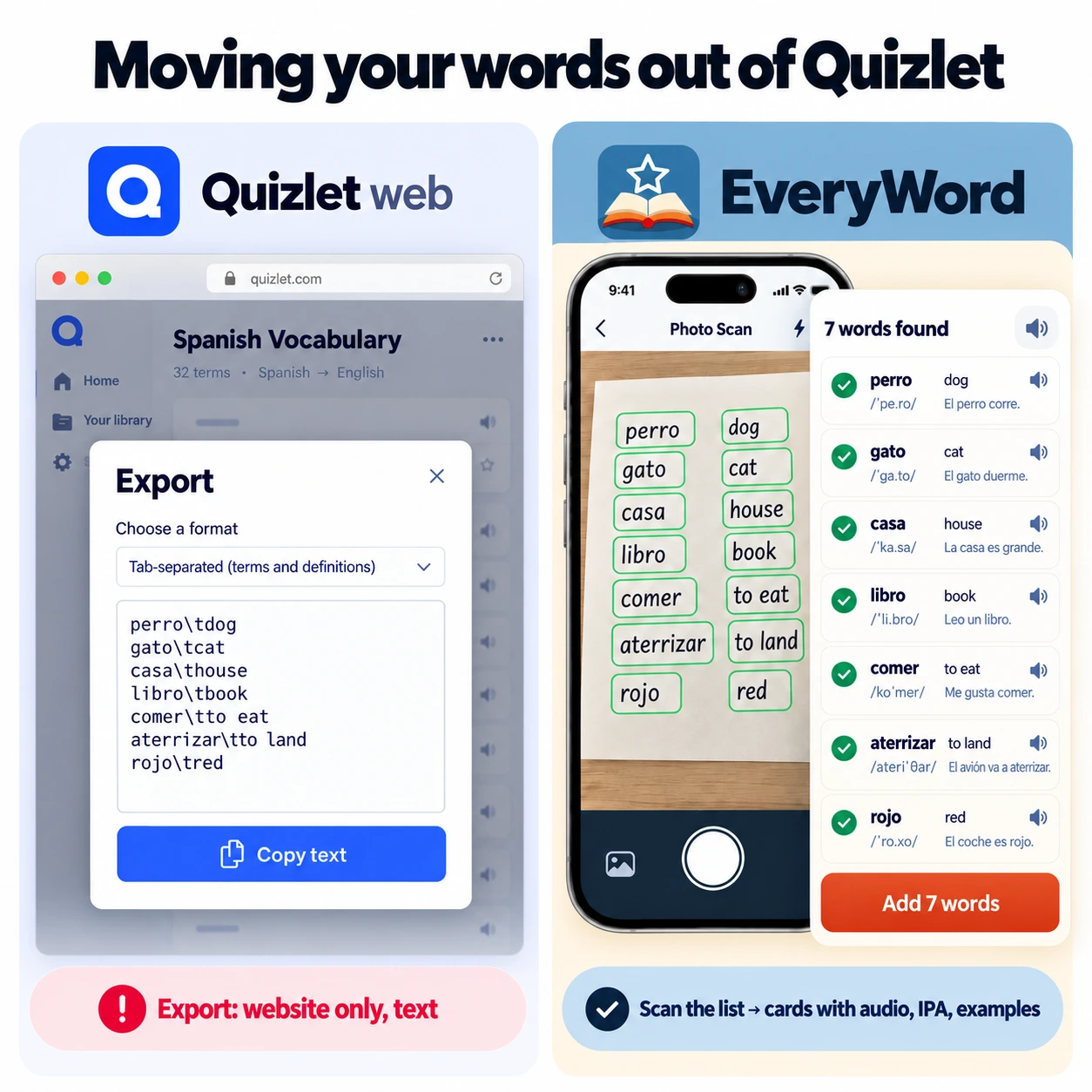
One practical tip: don't move everything. Export the sets you actually review, scan or import those, and let the rest go. A smaller deck of words you're really learning beats a big one you're avoiding.
Most apps on this list fix one of Quizlet's problems. Knowt fixes the paywall. Anki fixes the scheduler. Memrise and Lingvist fix the audio and context, at the cost of letting you choose the words. EveryWord is the one that fixes the card itself while leaving the word choice to you:
"The photo scanning feature is amazing. I can generate dozens of flashcards from my textbooks instantly." — David L., learning Japanese
EveryWord has been built since 2022 by Oleksii Chornomorchenko, a developer who made it for his own language learning before releasing it. It's a small team's product, which shows in both directions: there's no classroom mode and no public library, and there's also nothing between you and your words.
It depends on what you study. For languages, EveryWord: AI-built cards with audio and IPA, spaced repetition on every card, free on iOS and Android. For school subjects and a Quizlet-like workflow, Knowt: it imports your sets and keeps Learn and Test free. For full control on desktop, Anki: free everywhere except the $24.99 iPhone app.
For memorizing vocabulary, yes. Quizlet's card holds a term and a definition, its text-to-speech covers 18 languages, and spaced repetition only switches on for sets of 100 or more terms. EveryWord, Anki and Brainscape all schedule every card from day one, and EveryWord adds the audio, IPA and example sentence automatically. For classroom use and ready-made sets, Quizlet is still hard to beat.
Anki retains words better because its scheduler works on every deck and never caps your reviews; Quizlet is easier to start with and has far more ready-made sets. Both make you type the card yourself. If you want Anki's spaced repetition with the card filled in for you, EveryWord is the middle path, and it imports Anki decks.
The closest are Knowt and Cram (same term-and-definition format), followed by Anki, Brainscape and RemNote (flashcards with spaced repetition). For language learning specifically, EveryWord, Memrise, Lingvist, Clozemaster and Drops take different approaches: EveryWord builds cards for your own words, the other four teach from curated content.
Yes. Knowt imports a set from its URL. Anki, Brainscape, RemNote and Cram accept Quizlet's text export (available on the website under Export). EveryWord doesn't read the file; instead you scan the list with Photo Scan or import an Anki deck, and each word comes back as a complete card.
EveryWord, Anki, Brainscape, RemNote and Knowt include spaced repetition on the free plan for your own cards. Clozemaster offers it on Pro. Lingvist and Memrise schedule their own course content. Cram and Drops have only a light review loop. Quizlet's Scheduled Review exists but applies to sets of 100+ terms.
Some school networks block Quizlet because its public sets contain answer keys to tests and homework, and because its AI tools can produce answers rather than practice. Policies vary by district. Apps that keep your material private, such as EveryWord, Anki or Brainscape, are rarely affected.
Studying your own sets with Learn, Practice Test, Match and spaced repetition is free. The free plan shows ads and limits AI features such as notes-to-flashcards. Knowt Ultra, listed at $24.99 a month or $149.99 a year in 2026, removes both.
Prices and plan limits checked October 2026. Comparisons in this article are based on each app's published features and pricing pages; see our detailed Quizlet vs EveryWord and Anki vs EveryWord pages for a two-app breakdown, or how Anki cards compare with AI-built cards.