Home / EveryWord vs Anki

EveryWord vs Anki

the same spaced repetition, minus the manual work

EveryWord runs on the same idea as Anki — spaced-repetition flashcards that show you a word right before you forget it. The difference is the AI. In Anki, every card is something you build by hand. In EveryWord, AI is wired in deeply enough that making a complete card — translation, pronunciation, phonetics, and an example sentence — takes one tap. That single change turns vocabulary review from the chore it can be in Anki into a quick daily habit you actually keep.

EveryWord vs Anki: the same spaced repetition, minus the manual work
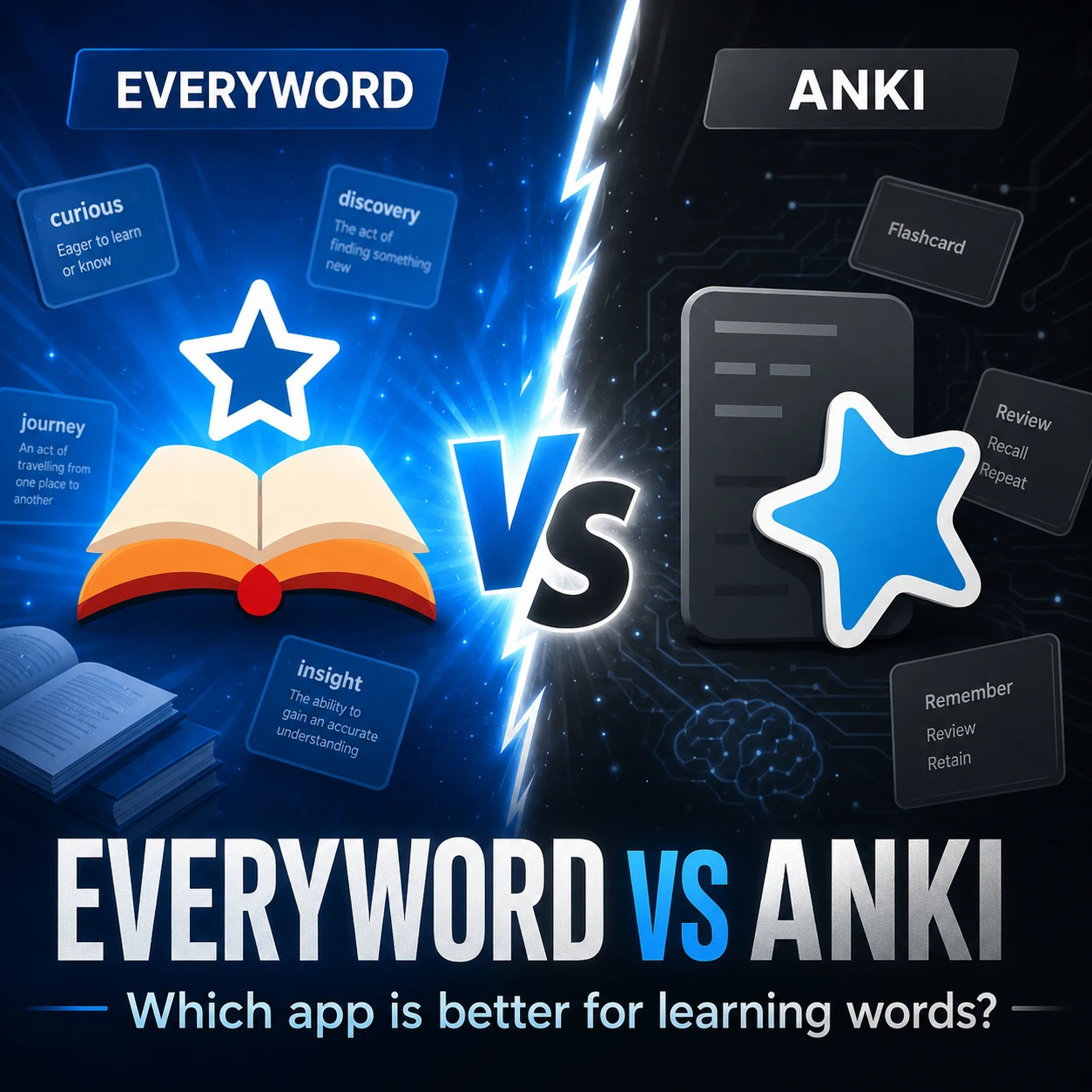
EveryWord vs Anki 2х2

Anki is the reference tool for serious spaced repetition, and for good reason: it’s free on most platforms, open-source, and endlessly customizable. But two things stop a lot of people from sticking with it — building every card by hand, and the $24.99 you pay to use it properly on an iPhone. EveryWord keeps the part that works (a proven review algorithm) and removes the friction around it. Here’s how the two compare, feature by feature, and who each one really suits.

Quick comparison: EveryWord vs Anki at a glance

 EveryWordAnki
Core methodSpaced repetitionSpaced repetition (SM-2 / FSRS)
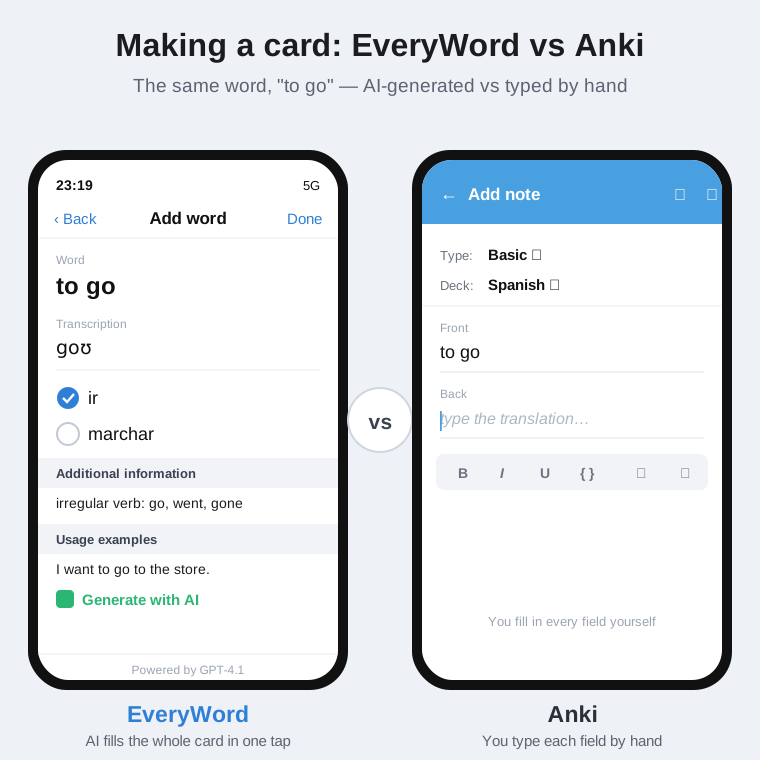
Making a cardOne tap — AI fills in translation, pronunciation, phonetics, and an exampleManual: type each field, or import a shared deck
Capture words from a photo or textYes — snap a book page, screenshot, or note and pull words outNo built-in capture; copy/paste or add-ons
Pronunciation & phoneticsBuilt in for every cardAdd yourself or via add-ons / TTS setup
iPhone / iPadFree to startAnkiMobile: $24.99 one-time
AndroidFree to startAnkiDroid: free
DesktopMobile-first (iOS & Android)Free on Windows, Mac, Linux
Learning curveOpen it and start the same daySteeper — settings, note types, add-ons
Customization & add-onsFocused on vocabularyDeep — open-source, huge add-on ecosystem
Shared / pre-made decksBuild from words you actually meetThousands of community decks

Where EveryWord pulls ahead

Every card is one tap, not a small project

This is the whole point. In Anki, a card is a blank form: you type the word, the translation, maybe a sentence, then hunt down audio if you want pronunciation. Multiply that by every word you want to learn and card-making quietly becomes the hardest part of studying — the step where most people stall. EveryWord uses AI (powered by GPT-4.1) to do that work. Type a word and you get back a finished card: one or more translations, the IPA transcription, audio, and a natural example sentence showing the word in context — plus extras like irregular-verb forms when they apply. You can still edit anything or add your own translations and examples. The friction that makes people abandon flashcards is mostly gone.

Learn the words you actually run into

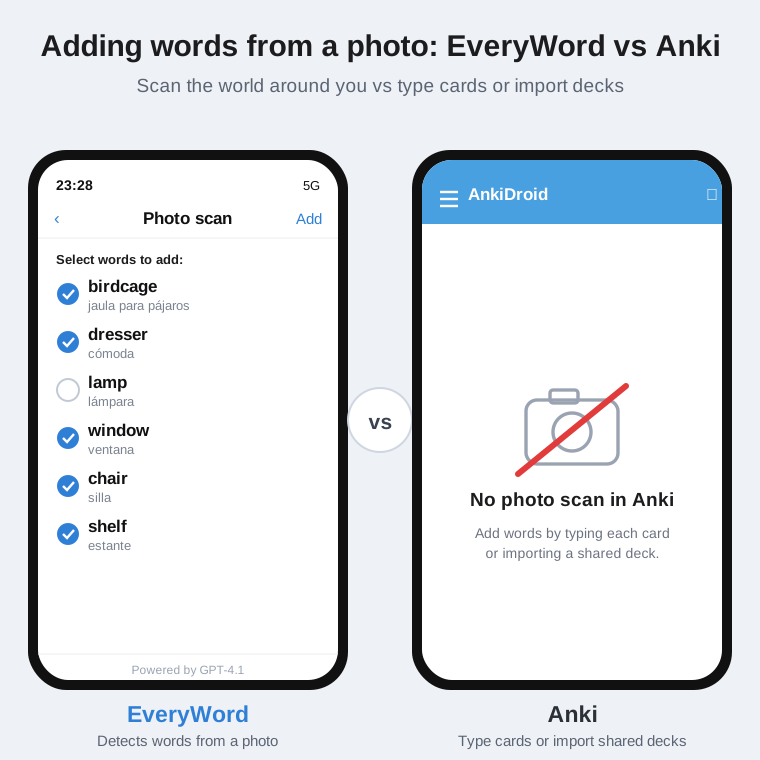
Reading a Spanish novel, going through your notes, or just looking around the room? Photograph a page — or the objects around you — and EveryWord detects the words, translates them, and shows you a checklist so you pick which ones to add. You end up studying vocabulary from your real life instead of a generic pre-made list: the words you just met and are most likely to need again.

Where EveryWord pulls ahead

Free on the iPhone — no paid unlock

Anki’s mobile situation trips people up. The desktop app and AnkiDroid are free, but the official iPhone app, AnkiMobile, costs $24.99 as a one-time purchase. (That fee funds the rest of the free ecosystem, which is fair — but it’s still a paid unlock on the device most people study on.) EveryWord is free to use on both iOS and Android: there’s a free plan you can stay on, with an optional Premium upgrade — so you’re never forced to pay just to study each day.

A routine you keep, not one you configure

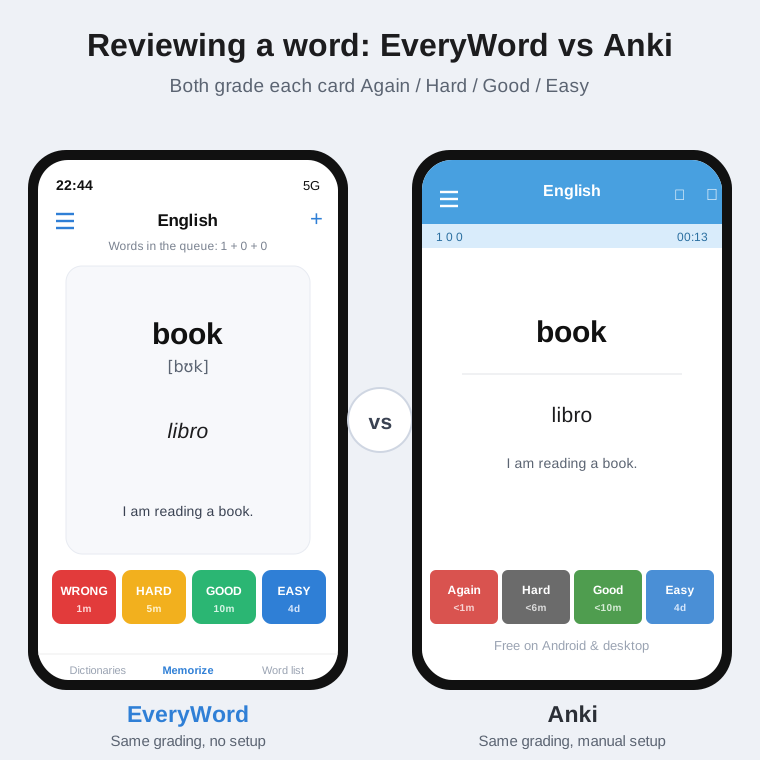
Anki rewards people who enjoy tuning their setup — note types, intervals, add-ons. That flexibility is genuinely powerful, but it’s also why a lot of learners bounce off it. EveryWord is built so the default path is the good path: install it, add words as you go, review the handful the app surfaces each day. The review itself will feel familiar to Anki users — you grade each card Again, Hard, Good, or Easy, and the spaced-repetition engine schedules the next review for you. You just don’t have to manage it.

Where Anki is still the better pick

Where Anki is still the better pick

An honest comparison has to say this plainly: Anki is excellent, and for some people it’s the right tool.

  • You want a free, open-source desktop app. Anki runs on Windows, Mac, and Linux and is fully open-source and community-funded. EveryWord is mobile-first (iOS and Android), so the desktop is Anki’s territory.
  • You study more than vocabulary. Med students, law students, and anyone memorizing dense material lean on Anki’s note types, cloze deletions, and image occlusion. That depth is hard to beat.
  • You like to customize. Thousands of add-ons and full control over scheduling mean you can shape Anki around almost any workflow.
  • You want ready-made decks. Anki’s community has built shared decks for nearly every subject and language, so you can start with thousands of cards you didn’t make.

EveryWord doesn’t try to replace that. It’s focused on one job — learning vocabulary — and on making the daily loop effortless for language learners specifically.

Where Anki is still the better pick
Adding words from a photo in EveryWord vs Anki: EveryWord detects words from a photo and lists them to add, while Anki has no photo capture and relies on typing or importing decks

Who should pick which?

Choose Anki if you study mostly on a computer, you’re memorizing heavy material across many subjects, you want pre-made decks, or you genuinely enjoy configuring your own system.

Choose EveryWord if your focus is language learning, you study on your phone, and you want new words turned into finished cards in one tap — including words you capture from books, screenshots, and notes — without setting anything up.

Adding words from a photo in EveryWord vs Anki: EveryWord detects words from a photo and lists them to add, while Anki has no photo capture and relies on typing or importing decks

Is Anki free?

Anki is not free

Mostly, yes — with one exception. The desktop app (Windows, Mac, Linux), the AnkiWeb browser version, and AnkiDroid on Android are all free. The official iPhone and iPad app, AnkiMobile, is a one-time $24.99 purchase that helps fund the free versions. So Anki is free everywhere except official iOS. EveryWord closes that gap: it’s free to use on both iOS and Android, with an optional Premium upgrade rather than a required purchase.

Anki is not free

Switching from Anki to EveryWord

Switching from Anki to EveryWord

Switching from Anki to EveryWord

Moving over is easy. You can import your existing Anki decks into EveryWord, or just start fresh — add the words you’re working on now by typing or capturing them, and let the review schedule take over from your next session. Many learners keep both apps on purpose: EveryWord as the better choice for languages, where AI cards, audio, and photo capture do the heavy lifting, and Anki for other subjects like math, medicine, or law.

Frequently asked questions

Is EveryWord a good Anki alternative?

It's a strong alternative for language learners. EveryWord uses the same spaced-repetition approach as Anki but adds AI card creation, photo/text capture, and built-in pronunciation, and it's free to start on iPhone. For multi-subject memorization with custom note types, Anki is still the deeper tool.

What are apps like Anki?

Common flashcard and spaced-repetition apps people compare with Anki include Quizlet, Brainscape, RemNote, Memrise, and EveryWord. EveryWord stands out for AI-built cards and capturing words straight from photos and text.

Is there a free Anki alternative for iOS?

Yes. The official Anki iPhone app (AnkiMobile) costs $24.99, while EveryWord is free to use on iPhone and Android, with AI flashcard creation built in and an optional Premium upgrade.

Does EveryWord use spaced repetition like Anki?

Yes. EveryWord schedules each word for review based on how well you know it, showing it again right before you'd forget — the same spaced-repetition principle Anki is built on.

Can EveryWord make flashcards automatically?

Yes. Enter or photograph a word and EveryWord's AI (powered by GPT-4.1) generates a complete card — translation, IPA transcription, audio, and an example sentence — in one tap, instead of you filling in each field by hand. It supports 80+ languages and lets you pick a US, UK, Australian, or Indian accent.

Comparison based on publicly available information about Anki as of June 2026. Anki and AnkiMobile are products of their respective owners; EveryWord is not affiliated with Anki. Pricing and features can change — check each app's store listing for current details.

Lääkäripalvelut

Valitkaa teille sopivin vastaanottotapa

Palvelun yhteydessä näkyvät asiakkaan hinta ja Kela-korvaus.

Chat-vastaanotto – nopea vaihtoehto hoidon aloittamiseen ja ohjeiden saamiseen ilman sairauslomatodistusta.

Video, puhelu tai chat – sopii silloin, kun diagnoosin ja sähköisen reseptin lisäksi saatat tarvita myös sairauslomatodistuksen.

Valitse asioinnin syy alta

Oireistasi riippuen sinulle voi sopia eri vastaanottotapa (video, puhelu, chat) tai eri palvelupaketti. Oireen tai palvelun yhteydessä on ilmoitettu palvelun hinta asiakkaalle sekä Kela-korvauksen määrä.